 IconSwapper
Download IconSwapper
For Intel and Apple silicon Macs running macOS 14 or later.
Download for Mac Version 1.2 · Build 221Getting started
Install the app
Open the ZIP in Downloads. Drag IconSwapper into Applications, then open it from there.
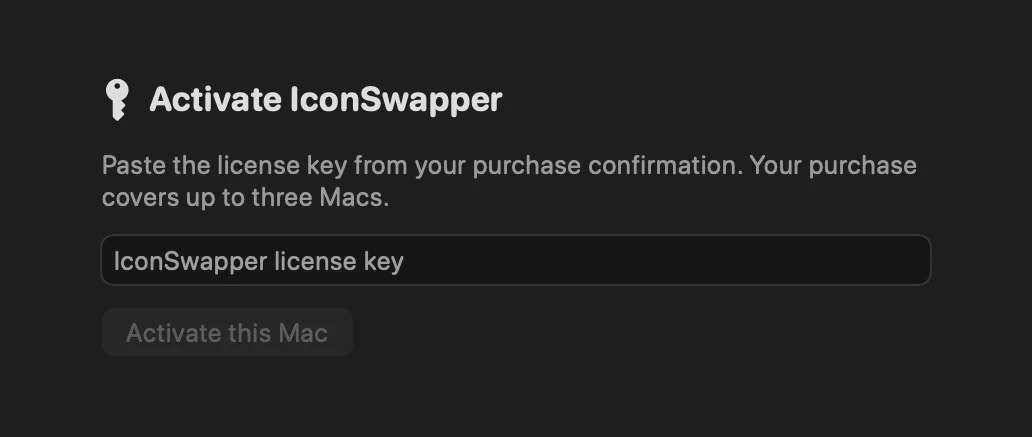
Activate your Mac
Copy the key from your purchase email, paste it into IconSwapper, and click Activate this Mac. Your key works on up to three Macs.


Choose your first icon
Click Add App, then choose Add a Live Icon for live activity or Change an app icon to customize its appearance.

FAQ
Where can I find my license key?
Search the inbox you used at checkout for “Your IconSwapper download and license key” from purchases@iconswapper.app. Your paid Stripe invoice also includes the key. If you can’t find either, email us from your purchase address.
How do I move IconSwapper to a new Mac?
Download IconSwapper on the new Mac and activate it with your existing key. If all three slots are in use, open IconSwapper → Settings → License on your old Mac and choose Deactivate this Mac…. If you no longer have that Mac, get in touch.
How do I get the latest version?
In IconSwapper, open Settings → Updates → Check for Updates…. You can also come back to this page to download the latest release.